 Movie
MovieMaharaja
2024

Tamil · Telugu · Malayalam · Hindi · English
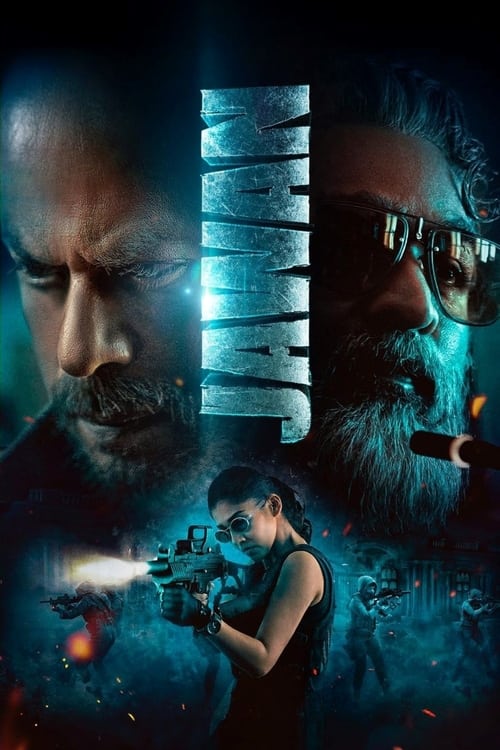


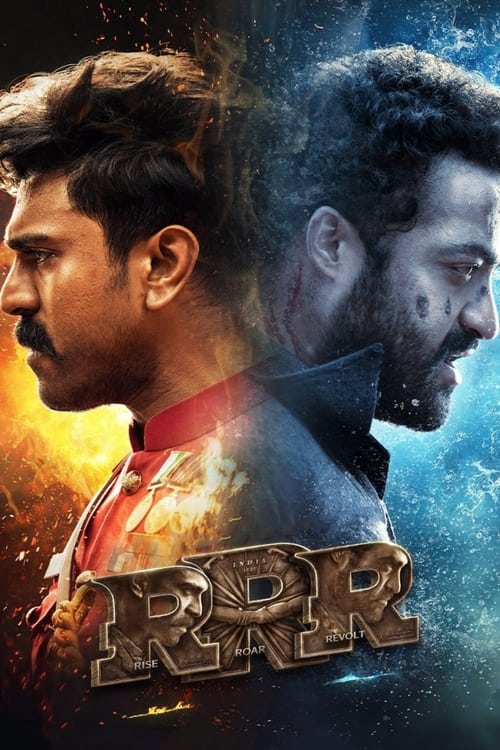
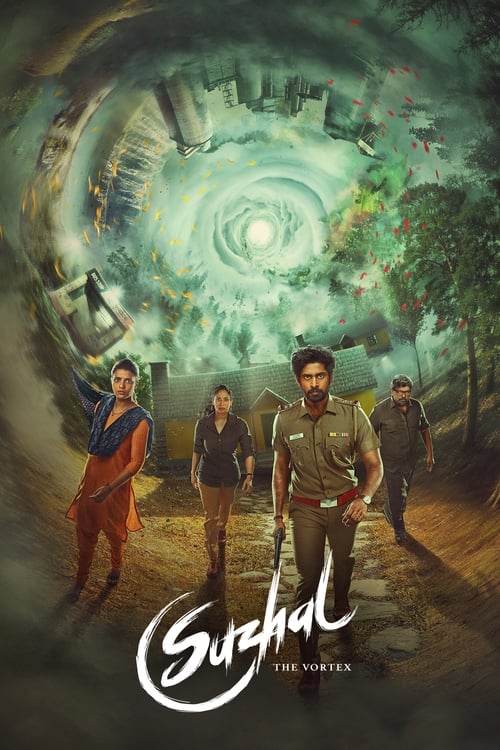
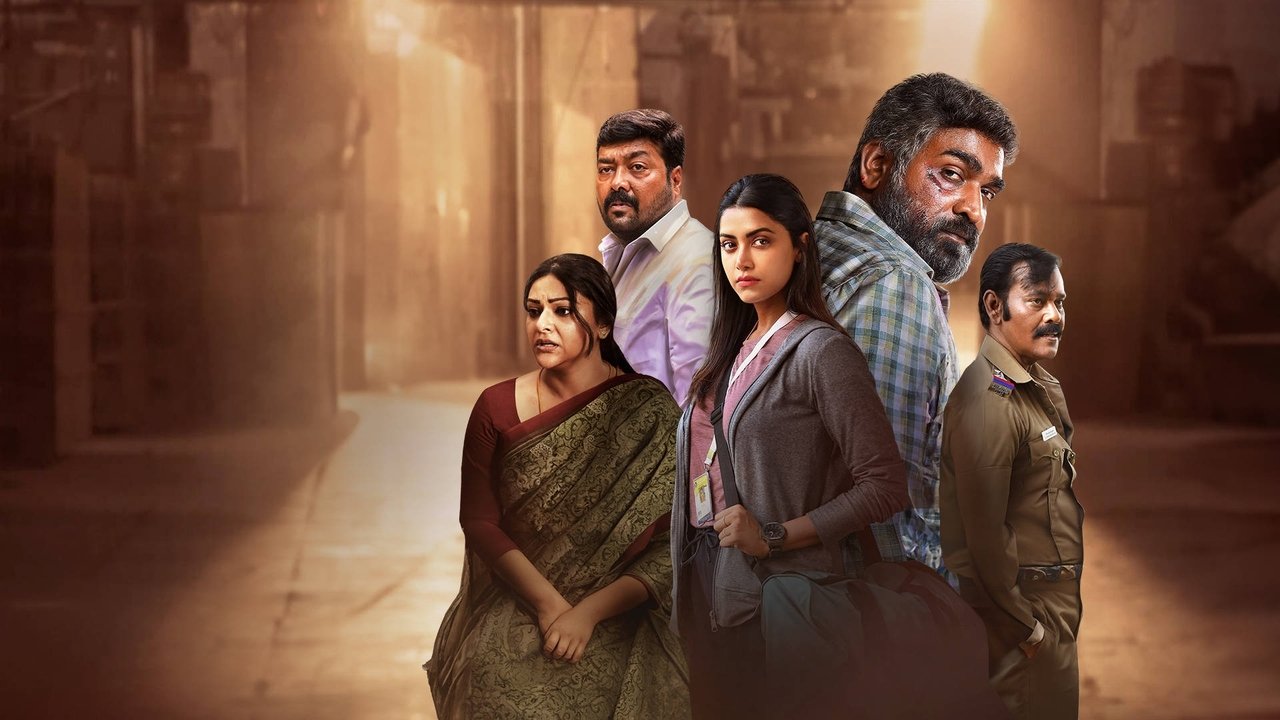
Featured Tamil movie
2024 · Mystery · Thriller
A barber’s unusual complaint becomes a much darker mystery.
Viewing choices open on JustWatch.
2024 · Movie
2024 · Movie
2024 · Movie
2023 · Movie
2025 · Movie

2025 · Movie
2025 · Movie

2025 · Movie

2025 · Movie

2025 · Movie
2022 · TV Series
2024 · TV Series
2016 · TV Series

1998 · TV Series
2004 · TV Series

2024 · TV Series

2013 · TV Series
2013 · TV Series

2016 · TV Series

2008 · Movie
Use Bolly2Tolly on a phone, save a browser shortcut and understand the difference between My List and offline movies.
Read guide →Plan an offline movie night, distinguish a saved title from a video download and select the correct audio before travel.
Read guide →Find a film again after an old Bolly2Tolly link stops working without confusing domain names with movie titles.
Read guide →Work out whether a problem affects a page, a movie search, a TV browser or the viewing application.
Read guide →Some evenings begin with a film name. Others begin with a language, an actor you remember, or the feeling that you would rather watch something familiar than spend another hour deciding. Bolly2Tolly brings Tamil, Telugu, Malayalam, Hindi and English movie choices into the same place, with television alongside them. Search directly when you know what you want. Browse the posters when you do not. Open a film, read enough to decide, and keep the ones you want to return to in My List.
There is room here for a recent thriller, an older comedy, a sequel you missed and a programme that friends keep mentioning. The first page is only a starting point. Language collections, release years and an alphabetical title index let you move beyond the most obvious row of posters. When a film catches your attention, Watch now opens its viewing choices on JustWatch for your selected country. You can return to the movie page without losing the rest of your evening’s shortlist.
This guide follows the choices that come up along the way: which production you mean, which language you want to hear, what to watch on a television, and how to get back on track when a link or an application does not cooperate.
The shortest path to a film is usually its name. Enter it in Bolly2Tolly search, then compare the year and the poster before opening a result. If the name is long, begin with the word you remember most clearly. You do not need to add “full movie online” to every title search inside the website. Those extra words can make a simple request harder to match. Search is useful for identifying a production; picture quality and the spoken language of an available edition come later.
When the title is on the tip of your tongue, try the A–Z movie and TV index. It groups displayed titles by their first letter, so you can browse a familiar beginning instead of guessing the full spelling. Accented Roman letters sit under their ordinary letter. Numbered titles have their own group. The index includes years and distinguishes a movie from a television programme, which is helpful when a name appears in more than one form.
Search filters can narrow a crowded result, but they work best after you have something to narrow. Start with a name, then add a year, type or genre if necessary. If your results disappear, remove the last restriction. A film might not have the genre you expected, and a television show may have started earlier than the season you remember. It is easier to inspect a few sensible results than to build a very precise search around one mistaken detail.
Regional films travel between languages, and their names travel with them. You might remember a Tamil title in Roman letters, a Hindi release name, or the spelling used in a friend’s message. None of that makes your memory wrong. It means there may be more than one way to identify the production. Read the original title on a movie page when it is supplied, compare the year, and keep the complete name once you find the right match.
Numbers are especially easy to lose. Maari and Maari 2 are not interchangeable searches. Bāhubali: The Beginning and Bāhubali 2: The Conclusion are separate chapters. A poster crop may make the shared franchise name prominent while the part number is harder to notice. Before choosing a viewing offer, confirm which chapter you intend to watch. That small check is more useful than discovering halfway through the opening that you selected the story you already finished.
A remake creates another complication. It can preserve a premise while changing the cast, language and year. A dubbed edition, by contrast, is a language presentation of a particular production. If you want the performance you remember, identify that production before choosing an audio track. If you want to compare different interpretations of the story, keep the films as separate entries in your notes. Bolly2Tolly’s film pages help you hold on to those distinctions instead of treating every familiar-looking name as the same movie.
Tamil cinema is prominent in Bolly2Tolly because it gives you more than one way into a movie night. You can begin with a contemporary thriller, return to an older favourite or choose a star-led action film. The Tamil collection keeps original Tamil productions together. It does not ask you to decide first whether you want every possible dubbed edition. Start with the film, read its introduction and let the story decide whether it belongs in tonight’s choices.
Maharaja is the featured Tamil title here. Netflix’s film page identifies the 2024 production with Vijay Sethupathi, Anurag Kashyap and Mamtha Mohandas. Its opening question concerns a barber’s puzzling complaint to the police. That is enough to begin with; this is a film for which an exhaustive explanation can take away part of the experience. Use the movie details to identify it, then compare the viewing edition without reading an ending breakdown first.
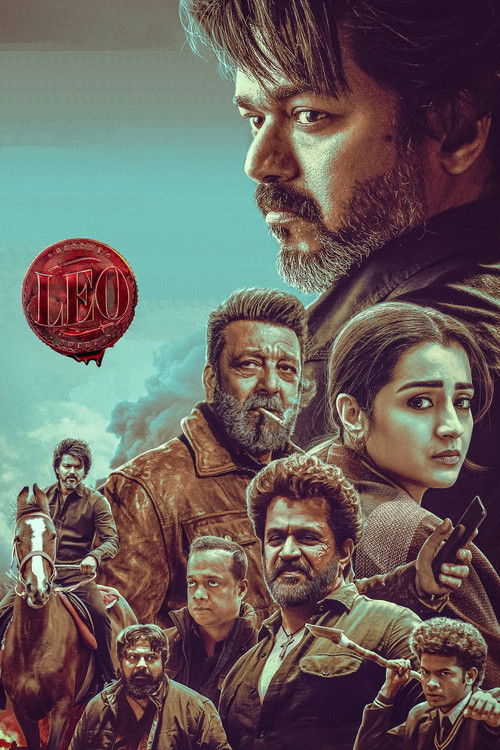
The collection also offers starting points such as Leo, Jailer, Master and Dragon. Read their separate descriptions rather than assuming the shared language means the same mood. For remembered searches such as Maari 2, Darbar or Penguin, the Tamil movie guide gives you focused film links. You can follow those names directly instead of scrolling through unrelated posters. If Tamil is your preferred spoken language rather than the film’s original language, inspect the audio options of the selected offer before beginning.
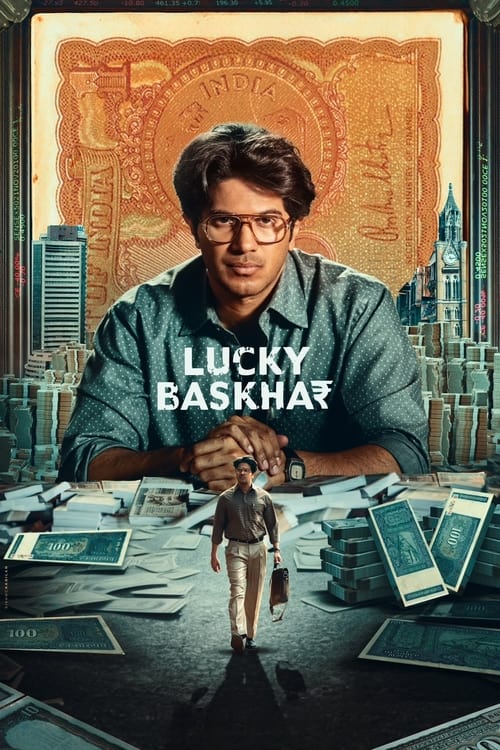
A Telugu movie collection should not reduce every film to a large action sequence. Sometimes you want that energy; sometimes you want a comedy or a story built around people spending time together. Bolly2Tolly’s Telugu films include different starting points, with the full production name attached to each. RRR, Lucky Baskhar, Kalki 2898-AD and F2: Fun and Frustration belong to the same language collection without needing to be the same kind of choice.
Ee Nagaraniki Emaindi is a useful example of a very specific movie request. Apple TV’s listing identifies the 2018 Telugu comedy-drama directed by Tharun Bhascker. It follows four friends whose reunion leads them to Goa and a short-film competition. If that is the film you meant, keep its name rather than replacing the request with a generic “Telugu new movies” search. The dedicated guide includes a named viewing search for it.
For a longer adventure, choose a chapter deliberately. The two Bāhubali movie pages let you distinguish the beginning from the conclusion. Other titles may include Part 1 or a subtitle that belongs to their identity. Keep that wording when moving to a viewing application. Once you are on the correct film, choose original Telugu audio, an offered dub or the subtitles that suit your group. Changing the dialogue language should not mean accidentally changing the movie. The Telugu guide keeps these choices connected.
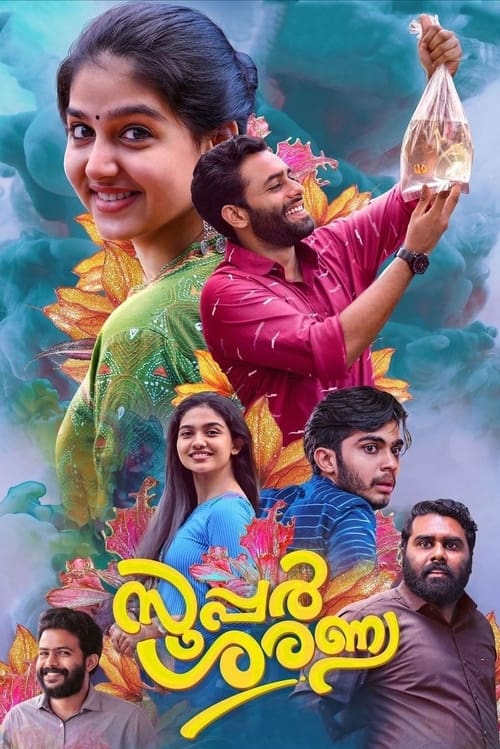
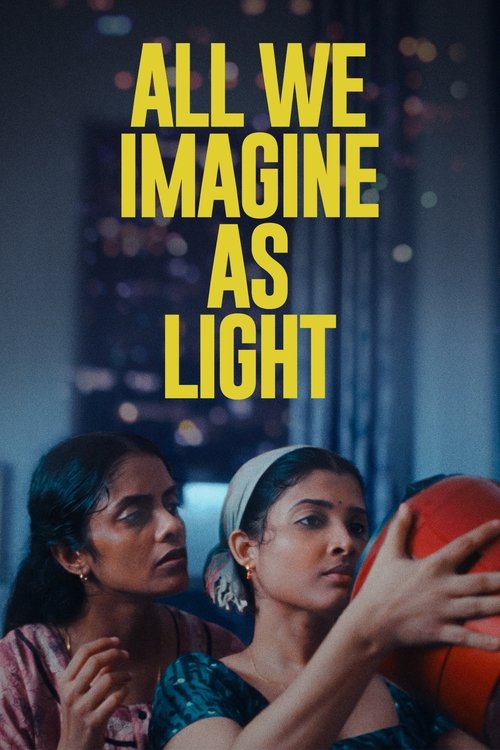
A Malayalam movie search often begins with a name someone has already recommended. Bolly2Tolly gives those requests a place beside ordinary browsing. The Malayalam collection includes films such as All We Imagine as Light, Super Sharanya, A.R.M and The Goat Life, as well as earlier productions. Open a description when you want a sense of the film’s pace and subject. A language label can bring the choices together, but it cannot decide which one fits your evening.
Shylock is another recurring request. Amazon’s February 2020 announcement identifies the Malayalam production directed by Ajai Vasudev and starring Mammootty. That older announcement helps identify the film, not settle every present-day viewing offer. The Malayalam movie guide includes a named Shylock search, alongside Forensic and Trance. Use the title and year to separate the production you want from other works with short, similar names.
You can also move backwards through the collection. No. 20 Madras Mail, Aaram Thamburan and Chotta Mumbai offer earlier movie pages to explore. A familiar film may suit a shared evening better than a new one that nobody particularly wants. Save it before following another recommendation, so it does not disappear from the conversation. For viewers who do not understand Malayalam, check the available subtitle track and how comfortably it reads on the chosen screen. Original audio can remain an enjoyable option when the accompanying text works for everyone.
When you type Bolly2Tolly Kannada movies, the useful next step is a Kannada production, not a different regional collection with a new label. The Kannada film guide gives you named searches for Kantara and the KGF chapters. These links help identify the films and their viewing choices. They are a direct way forward when a production is not represented by a local poster page, without making you sort through unrelated Hindi or Telugu titles.
Hombale Films’ Kantara page describes Rishab Shetty’s film in a fictional village in Dakshina Kannada, with local traditions central to its setting. Keep the individual production in mind when choosing an edition. A familiar name can accumulate sequels, related searches and videos discussing the film. The full title and year keep your request focused on the movie you intend to watch, rather than a trailer or a discussion about it.
For KGF, retain Chapter 1 or Chapter 2. If you are watching with someone new to the story, agree on where to begin before selecting the offer. Then inspect the spoken track. A Kannada original, a Kannada dub of another film and Kannada subtitles are three different requests. You may be happy with any of them, but choosing deliberately prevents disappointment. The same habit helps when you later explore Tamil or Malayalam cinema: identify the production first and choose the language presentation second.
Hindi movies are part of Bolly2Tolly’s everyday browsing, not a separate activity that requires leaving the rest of the site. The Hindi collection groups original Hindi productions, including films you may already know by name. You can keep a Hindi favourite in My List while exploring a Tamil thriller or a Telugu comedy. A shortlist does not have to belong to only one language, especially when different people are taking turns choosing the evening’s film.
“Hindi dubbed” asks a different question from “Hindi movie.” It may refer to an English-language action film, a Tamil production or a Telugu sequel presented with Hindi dialogue. Begin in the original film’s collection or search its title. Then inspect whether your selected viewing offer supplies Hindi audio. A page with a Hindi description does not decide the soundtrack, and a Hindi subtitle option does not replace spoken dialogue. The useful information sits in the edition’s actual language choices.
If you prefer original performances but someone else wants easier listening, compare the options together. There is no need to turn the choice into an argument about the only correct way to watch. A dub can make an evening comfortable; subtitles can preserve a performance while making it understandable. What matters is selecting an edition that matches the group’s preference. Keep the film name and year constant while comparing those choices, so an alternative language does not lead you to a different remake by accident.
Sometimes the best next choice is outside the language you usually browse. Bolly2Tolly’s English movie collection lets you make that change without abandoning the titles you have already saved. Choose an action film, a mystery or another available genre, and compare its premise before deciding. The collection is a starting point for original English-language films. Dubbed audio and translated subtitles belong to the viewing edition you choose afterwards.
A Hollywood movie night can also be a convenient shared option when everyone knows the title but has different language preferences. Inspect whether the offered version includes the spoken track and subtitles you need. For a subtitled watch, a comfortable screen position and readable text can make more difference than spending extra time hunting for a different poster page. Decide those practical details early, then settle into the story instead of pausing every few minutes to change the settings.
Older English-language films can be worth the same attention as recent releases. Use a year filter when you know the period, or leave it open when your memory is less exact. A re-release, a new edition and an original production date can all appear in conversations about one film. The title record gives you an anchor for that discussion. Save the exact production you mean, then compare any available viewing choices from there. This is particularly helpful when a familiar title has been remade.
A television programme needs a slightly different approach from a movie. You are choosing not just a premise but a story you may return to over several evenings. Bolly2Tolly keeps TV shows separate from films, with programme pages and saved-list controls. Read the introduction, decide whether the kind of story interests you, and open the viewing choices when you are ready to select a season. A programme’s original release year does not need to change every time another chapter arrives.
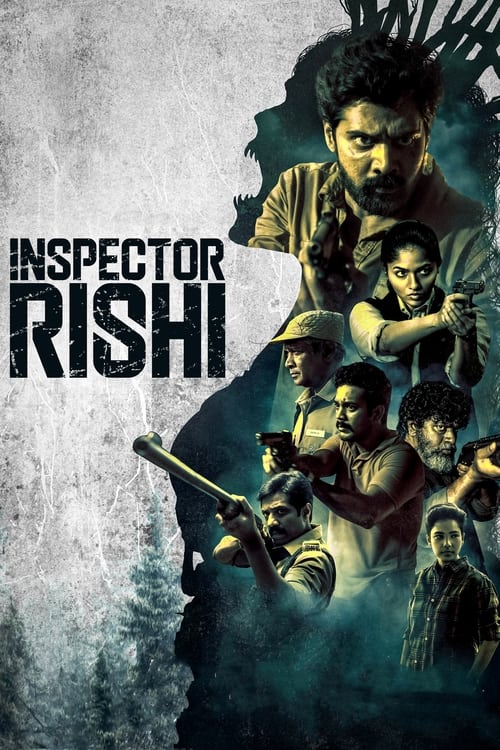
Tamil television has its own collection and guide. Suzhal - The Vortex, Vadhandhi, Inspector Rishi, Modern Love Chennai and November Story are distinct programmes, not alternate names for one show. Open their individual records to compare them. A dark poster and a crime label can make programmes look similar at a glance, but their premises are the reason to choose one over another. The Tamil series guide makes it easier to move from a remembered title to the correct page.
For latest episodes, use the episode list in the viewing application you select. The catalogue helps you identify and save the programme; it is not a live calendar of every regional episode release. My List also does not record the last minute you watched. If you switch applications, keep your season and episode number so that you can resume the story instead of guessing from thumbnails. A small note about where you stopped can save more time than repeatedly opening the programme’s general homepage.
“New” can mean several things during a movie search. A film may be newly released, newly offered by a service or simply new to you. Bolly2Tolly’s latest movie page uses the release dates attached to the films in the catalogue. It is a way to browse the newer end of these choices, not a claim that every film released today has already appeared. Keep that distinction when a shared post calls an older title a new upload.
The popular and trending areas give you another entry point. They can help when you have no specific name in mind and want to see a manageable selection. Use them to discover candidates, then read the film itself. A prominent position is not proof that the story suits your mood, your age group or the time you have available. It is perfectly reasonable to pass over the most visible title and choose an older comedy that you actually want to watch.
Try separating selection from commitment. Browse a few titles, save the ones that interest you, and make the final choice from that smaller group. This prevents every new poster from restarting the decision. If you are choosing with another person, let each of you save one or two films rather than comparing the whole catalogue aloud. The result is a more useful conversation: which of these stories fits tonight, rather than whether another page might contain something theoretically better.
Genre browsing is most helpful when it expresses a simple preference. You might want something funny, something tense or something with plenty of movement. Open the genre choices, then look for a premise that fits. A film can belong to more than one genre, and that combination often tells you more than a single label. An action comedy may be a different shared choice from an action thriller, even when both have energetic posters.
Language and genre work together without replacing each other. Start in a Tamil or Malayalam collection when the original language matters most. Start with a genre when the kind of story matters more. Then inspect the film’s details and viewing edition. This lets you move from a familiar language to an unfamiliar film without turning every new choice into a blind experiment. A clear premise can be enough to decide whether you want to know more.
Do not force a movie to satisfy every preference at once. A very narrow combination of year, genre and type can hide perfectly good choices. If you are browsing for a group, agree on the one thing that matters most, such as avoiding a very intense film or choosing a self-contained story. Leave the other details flexible. Bolly2Tolly’s filters are there to make a list easier to read, not to turn an ordinary movie night into a test that no film can pass.
A film remembered from 2018 was not necessarily released in 2018. You may remember a television screening, a holiday, a link someone sent or the first time you watched it with friends. When a year filter removes the result you expected, try the title without that filter. Once you find a likely production, inspect its release information. This is particularly useful for older Bolly2Tolly movie requests where a remembered page date has become mixed up with the film’s original year.
The older movie guide offers a way back into those searches. You can also browse release years directly. Keep a distinctive word from the title, an original-language name or a sequel number. A guessed plot summary is less useful in a title search because the search is not a complete database of every scene, cast member and line of dialogue. Start with what you know the system can match.
Older films are not merely substitutes for a new release. A familiar comedy can make a relaxed evening, and a film you saw years ago can feel different when you return to it. Choose the edition on its own merits rather than assuming age determines picture quality. A new thumbnail does not improve an old transfer, and a recent viewing offer may present an earlier production well. Inspect the available settings once you have identified the film, then enjoy the rewatch for what brought you back.
My List is most valuable when it contains films you genuinely want to return to. Save a title from its page or a supported movie control, then open the watchlist when you are ready to choose. You do not need a Bolly2Tolly account for this local list. The browser holds the saved title references, which makes it convenient for an evening’s shortlist without asking you to organize a new profile first.
That convenience has a practical boundary: the list is tied to this browser. Another phone, another browser or a cleared storage area may not contain the same entries. Keep important movie names somewhere else if you want a lasting record across devices. Do not treat My List as a backup of every film you have ever considered. It is closer to a useful set of reminders for the place where you are currently browsing.
A saved programme is also different from episode history. Bolly2Tolly can keep the show easy to find, while the application where you watch manages its own progress. For a shared evening, save a few alternatives before opening the first viewing offer. If it does not suit your country, language or device, you can return to a choice you already liked. This is less frustrating than starting from an empty search again. Remove a title when it no longer interests you, so the list continues to reflect what you actually want to watch.
You can use Bolly2Tolly’s catalogue, title search and local saved list without registration or a catalogue subscription. That makes it easy to browse before deciding where to watch. A free browsing experience, however, is not a blanket promise that every film has a free full-movie offer. Watch now opens viewing choices on JustWatch, where the available options depend on the production and your selected country. Compare what is actually listed for the movie you chose.
When a free or ad-supported option is offered, inspect its conditions and whether it supports the device and language you need. A subscription you already have may also provide a convenient choice, while another offer may involve a rental or purchase. The point is to reach a useful decision for that film, not to assume one label describes the whole catalogue. A movie with no suitable option today can remain in your shortlist while you choose another title.
For a no-registration preference, separate choosing from watching. You can explore films here without creating a profile. The service you select for video may have its own account requirements. Decide whether those requirements suit you before committing to the offer. If you are watching with other people, check the details while you are still choosing, rather than waiting until everyone is seated. It keeps the evening focused on the film instead of an unexpected setup step.
Picture quality matters most when it makes the film comfortable to follow. For some viewers that means clear subtitles on a phone; for others it means a stable image on a large television. HD streaming and 1080p streaming are useful terms to compare within the viewing offer, but the poster on a Bolly2Tolly page is not evidence of a playable film’s resolution. Open the chosen service’s picture options and select from the settings it actually provides.
Selected 4K streaming editions can be attractive on a compatible screen, but the film, application, device and any relevant plan requirements all matter. A television described as 4K does not turn every source into a 4K edition. Before changing equipment or settings, check the specific viewing choice. If a lower offered setting plays smoothly and looks good from your seat, it may be the better choice for that evening than a higher setting that repeatedly interrupts the story.
Pay attention to movement, darker scenes and text, not just a bright opening logo. A picture can appear sharp in a still image while becoming distracting during action. Where the viewing application supports automatic or adaptive quality, it may change the setting as conditions vary. You can use its supported manual controls or troubleshooting information if that behaviour becomes noticeable. Bolly2Tolly’s picture-quality guide helps frame the decision without pretending there is a separate bitrate control hidden behind a movie poster.
A multilingual movie night begins with two separate choices: what you want to hear and what you want to read. Original audio preserves the production’s original spoken performance. A dubbed track supplies dialogue in another recorded language. Subtitles add text, and their available languages may differ from the audio choices. None of these is automatically the right answer for every viewer. Choose the combination that lets the people watching enjoy the film without constantly pausing to explain it.
Bolly2Tolly’s language collections describe original productions. They are useful for finding Tamil, Telugu, Malayalam or Hindi cinema, but the selected viewing edition determines the audio and subtitle tracks you can use. If you want a Hollywood film in Hindi, search the film first and inspect that edition. If you want a Tamil original with English subtitles, keep the original movie identity and check the text track. This avoids confusing a translated description with an actual playback-language option.
Subtitle customization can be helpful where the viewing application supports it. Try the size, background and contrast from the distance where you will actually sit. A television across the room is different from a phone held close. If timing seems wrong, confirm that you selected the appropriate track and use the player’s supported adjustment or help. The subtitle guide also covers offline language checks, because the tracks available while connected are not always the ones you selected for a downloaded edition.
A phone is often where a movie night begins, even when the film will eventually play on a television. Bolly2Tolly keeps title search, posters and saved choices available in the browser so you can compare films while a conversation is happening. Use a distinctive title word if typing the whole name is awkward. Open the result, check the year and save it before moving to another suggestion. That is usually quicker than keeping many similar tabs open and trying to remember which one mattered.
For video on a mobile device, follow the supported website or application attached to the viewing choice. Its controls determine the picture settings, orientation, audio and subtitles. If you are using mobile data, inspect the application’s available data or quality settings before a long film. Automatic playback choices may behave differently from an explicitly selected lower setting. Choose what suits the connection and screen rather than assuming the highest number is always the most useful option.
The Bolly2Tolly app page explains the browser experience and home-screen shortcuts. A shortcut can make returning easier when your browser offers one, but it is not an APK or an offline movie download. You can browse without installing a native Bolly2Tolly application. Keep the same browser when returning to My List, and remember that private browsing or cleared site storage can affect whether those local choices are still there next time.
A large screen should make a film more enjoyable, not make choosing it more difficult. If a television browser is slow or awkward, use Bolly2Tolly on a phone or computer to identify the film first. Keep its complete title and year, then look it up in an application supported by your television or connected device. This is often a more comfortable sequence than entering several long regional film names with a remote control while everyone waits.
“Bolly2Tolly not opening on TV” can describe a browser problem rather than a problem with the film itself. Try the site on another device to identify which part is failing. The Smart TV guide separates the website, the viewing search and the application that plays video. A successful movie search on your phone does not promise that every television browser can run every video service. Use the support information for the actual application and device you selected.
Once the film is ready, make the room comfortable for the people watching. Test subtitle readability from the sofa, listen for dialogue at an ordinary volume and check that the intended soundtrack is selected. If there is a black picture, missing sound or an error message, keep the exact wording. Randomly changing every television setting makes the problem harder to isolate. A console or connected streaming device may provide another supported application, but its capabilities should be checked individually rather than inferred from the fact that it connects to the same screen.
Once you leave the catalogue for video, the selected player supplies the controls. Depending on the service and device, those may include fullscreen, playback speed, subtitle styling, keyboard shortcuts or Picture-in-Picture. Use the controls that are actually available in that application. Bolly2Tolly’s movie pages do not operate a separate HTML5 player with a hidden set of playback features. The page helps you choose the production; the viewing application handles the film itself.
Keyboard shortcuts are useful on a computer, but the same key can do different things in different players or browser states. Consult the player’s help or visible controls instead of repeatedly pressing a guessed shortcut. Picture-in-Picture can also be convenient for a supported casual watch, while a subtitled film may be easier to follow in a larger window. Choose the presentation around the film and your attention rather than treating every available control as something you need to turn on.
Playback speed deserves similar care. If the application offers it, decide whether a change helps you follow the programme or makes speech and subtitles harder to process. For a film you chose because of its performances, rhythm and atmosphere are part of the experience. You can pause and return later instead of trying to compress the whole story into the time left tonight. Keep the programme or movie in My List so that choosing to stop does not mean losing track of what you wanted to finish.
A saved poster is not a downloaded movie. My List keeps a title easy to find again; an offline video must be obtained through a viewing application that supports it. If you are planning travel or a place with unreliable connectivity, open the chosen film in that application while you still have a working connection. Check whether offline viewing is available for the title, device and plan you intend to use, and follow the application’s own rules.
Language selection is worth checking before the journey. A Tamil or Malayalam film may have several available tracks while connected, but your downloaded edition needs the audio and subtitles you expect. Complete the supported download and test the result before leaving. A few minutes of preparation is more useful than discovering later that you saved the film name but not the video, or that the offline edition uses a different spoken language from the one your group wanted.
File size and storage are also practical questions. Use the size displayed by the application rather than an old “small size movie” label from a search result. Higher-quality editions may take more room, and a device needs space for ordinary operation as well. The Bolly2Tolly downloads page covers this distinction directly. It does not offer a separate archive of movie files. Any offline copy, renewal, expiry or removal is controlled in the application where the viewing option was selected.
When a film pauses repeatedly, it is tempting to search for another streaming server immediately. First identify where the pause occurs. Is the Bolly2Tolly page failing to load, the viewing search taking time, or the actual video stopping in another application? Those are different problems. This catalogue does not offer a row of alternate playback servers. Use the controls and support options of the service where the film is playing, rather than looking for a server switch on a poster page.
If video starts and then buffers, try one supported change at a time. A lower offered picture setting may help you establish whether the difficulty is related to the current playback demand. Pause other heavy transfers on the same connection if that is practical. If the problem persists, retain the error code and consult the application’s help. Changing several settings at once can hide which change mattered and leave the next film with a new problem you did not have before.
Terms such as CDN delivery or adaptive bitrate describe parts of video delivery, but they are not buttons you can assume every website provides. Fast-loading artwork is also not proof that a separate film stream will behave identically. Focus on the options visible in the player you chose. A stable connection, an appropriate setting and a supported device are more useful decisions than collecting technical labels. If the film still cannot play comfortably, return to your shortlist and choose another suitable option while keeping the original title for later.
People often remember a streaming brand more clearly than the exact address they once used. A Bolly2Tolly website search may include an old suffix, “new link,” “buzz,” “live” or a year attached to a shared page. These words can help explain what you are trying to recover, but they do not establish that every similarly named address is connected. The website and domain guide does not announce a certified network of official mirrors. It helps you get back to the film you meant to find.
If an old movie link no longer opens, preserve the title information before abandoning it. The address or page heading may contain the production name, year and language. Search those details here. A changed page path can stop working even when a homepage still opens, so begin with a normal title search rather than assuming the entire evening depends on recovering one exact old URL. A browser-history entry may be enough to remind you which film you were considering.
Requests such as “Bolly2Tolly new domain 2025” describe a point in time, not proof of a current destination. A domain-for-sale page is another kind of result entirely. Do not confuse it with a movie catalogue simply because the name is familiar. Once you have a working page and the correct film, save that useful destination. Keep browser storage intact when replacing a bookmark, since clearing everything can remove local saved choices that were unrelated to the broken link.
A blank page, a missing film and a video error can look like one general problem when you simply want to watch. Begin by narrowing the problem in a way you can observe. Can you open the homepage? Does another familiar website load? Can you search for a different movie? If the homepage works but one deep link fails, recover the title through search. If many unrelated pages fail, examine the connection before assuming they all disappeared at once.
For a search with no results, remove the year or genre selection and try a shorter part of the title. Avoid adding actor names or plot details to a field that primarily matches title text. If the movie is outside the catalogue, the regional guides may have a named viewing search that suits the request. A missing local poster is not evidence that the film no longer exists. It simply calls for a different way of locating the production.
For playback problems, use the application where the video opens. The not-working guide separates page access, title search, TV browsers and video playback without claiming to provide a live outage report. If you need to ask someone for help, record the device, the affected page or application, and the exact error. “It does not work” leaves every possibility open; “the movie search opens, but the TV application reports this message” gives you a much clearer place to start.
An alternative is useful only when it solves the reason you started looking. Perhaps you could not find a Malayalam film, wanted a Tamil soundtrack, needed a television application or hoped for a free viewing offer. Those are different requests. Another homepage with similar posters may solve none of them. Start by keeping the production name and year, then compare the viewing options for your country. You will make a better choice when the missing requirement is clear.
The Bolly2Tolly alternatives guide is organized around those needs. For language, inspect the offered audio and subtitles. For a larger screen, check the supported application. For cost, compare actual offers rather than assuming a free catalogue means a free full film. If there is no suitable option for the production you selected, choose another title you already saved. That is a deliberate alternative, not a random detour that loses the original film entirely.
Discussions on Reddit and elsewhere can help you remember a name or hear why somebody enjoyed a film. Their links and availability comments may describe the moment they were posted. Treat a recommendation as a starting point for your own watch, not as a permanent answer about every country or device. Bring the useful information back to a focused title search. Keeping the movie identity clear makes it easier to compare choices even when the websites mentioned in an older conversation have changed.
The best browsing session eventually ends with a choice. Give yourself a small shortlist instead of another endless row to compare. One Tamil thriller, one Telugu comedy and one familiar Malayalam favourite may be enough to start the conversation. Read the premises, decide how much attention and time you have, and choose the production that fits. The newest or most talked-about film does not automatically deserve the evening more than the one you are genuinely looking forward to.
Before pressing play in your viewing application, settle the practical questions. Is this the intended chapter? Is the spoken language right? Can everyone read the subtitles from where they are sitting? Does the selected offer work on the screen you plan to use? These are ordinary viewing choices, not a reason to delay indefinitely. Once they are settled, stop comparing every theoretical alternative and let the film have your attention.
Keep the other titles in My List for another night. If a film turns out not to match your mood, you can return to something you already considered without starting over. Bolly2Tolly is built around that familiar movement between an exact search, a few posters, a regional collection and a chosen movie. Use the alphabetical index for a remembered name, the language collections for a new direction, and the film guides when your request is more specific. Then make room for the part you came for: the story itself.
Search films and TV shows, browse language collections or the A–Z index, read title details and save choices in this browser. Watch now opens JustWatch viewing options for your selected country.
The catalogue, search and local saved list are free to use without an account. The viewing service you choose for a film has its own offer conditions and may require registration or payment.
Use the Tamil and Telugu collections for original-language productions. Their focused guides also include named searches such as Maari 2 and Ee Nagaraniki Emaindi.
Yes. The Malayalam guide includes a named Shylock search, along with Forensic and Trance. The Malayalam collection provides other films with individual catalogue pages.
The Kannada guide provides focused viewing searches for Kantara and the KGF chapters. Choose the correct production and inspect its available audio and subtitles after opening the result.
No. The index groups displayed titles by their first letter, with accents grouped under the ordinary letter and number-led names in a separate group. Use search to match words elsewhere in a title.
This website does not distribute a native APK. Use the mobile browser and an available home-screen shortcut for easy return. Video plays through the supported viewing option you select.
A television browser may behave differently from a phone or computer browser. Identify the movie on another device, then use a supported TV application for the chosen viewing offer.
No universal resolution is promised. Inspect the selected film edition and the picture settings supported by its viewing application, device and offer.
Choose from the tracks available in your selected viewing edition. Original-language collections identify the production; they do not promise every possible soundtrack or subtitle language.
No. My List saves a title reference in this browser. Offline video, when supported, must be downloaded and managed inside the viewing application.
This site does not certify other addresses as an official mirror network. Use the domain guide to recover film details from old links and keep a bookmark to the page that works for you.
Open the programme’s viewing choice and use the selected application’s current season and episode list. The Bolly2Tolly programme page and My List do not track your playback progress.
Remove restrictive filters, shorten the title and compare the year. Try the regional guide’s named searches when the production has no local poster page.